If you would like someone to have access to your calendar beyond basic access, you'll need to manually grant them access.
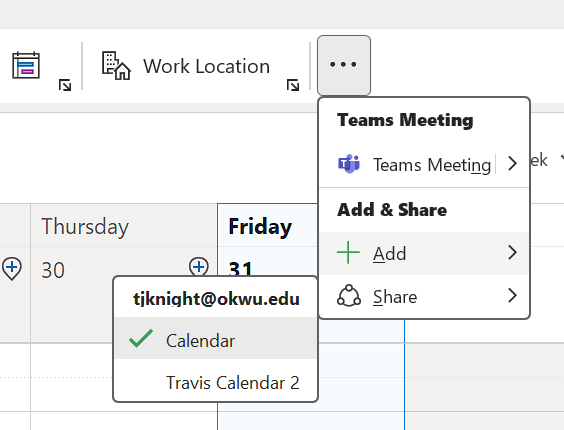
In Outlook, on the Calendar tab, find the Share button in the Ribbon Menu at the top, then select the calendar you want to share. My Share button was found in the ellipses button at the far right of the menu bar:
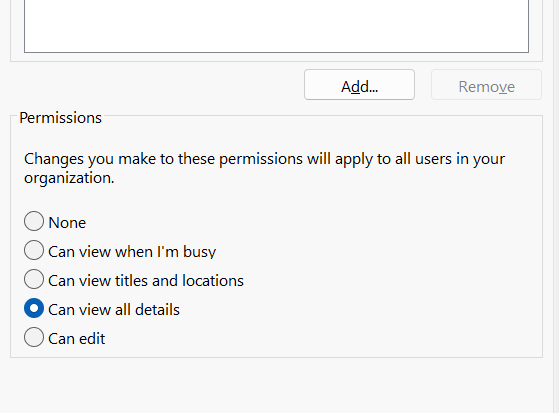
In the Calendar Properties > Permissions window, click the Add button to find the person or group that you want to share your calendar with and double-click their name so that they appear in the Add text bar at the bottom of the Add Users window. Once all of the sharees are in there, click OK. They will be added to the "Currently sharing with:" list. Highlight them in the list and then select your desired calendar access permissions.
Once you've granted them permissions, they should be able to find your calendar in the Add menu, which is also found in the top ribbon menu bar. Mine was also located in the ellipses at the far end of the menu.
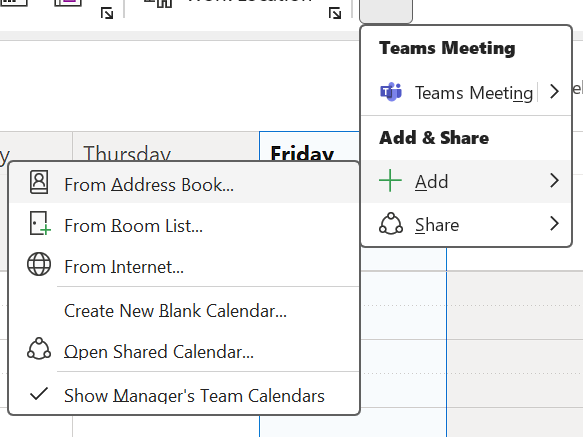
Here are more instructions on adding a Calendar in Outlook: Adding a Calendar in Outlook
Was this article helpful?
That’s Great!
Thank you for your feedback
Sorry! We couldn't be helpful
Thank you for your feedback
Feedback sent
We appreciate your effort and will try to fix the article