First, if you are not on campus, you will need to connect to Sophos Connect.
Then, in Finder, use the shortcut ⌘ + K to open the "Connect to Server" window, then paste in the given network path. If you want to save this network location for future use, click the + button at the bottom of the Connect to Server window to add it to your list of Favorite Servers
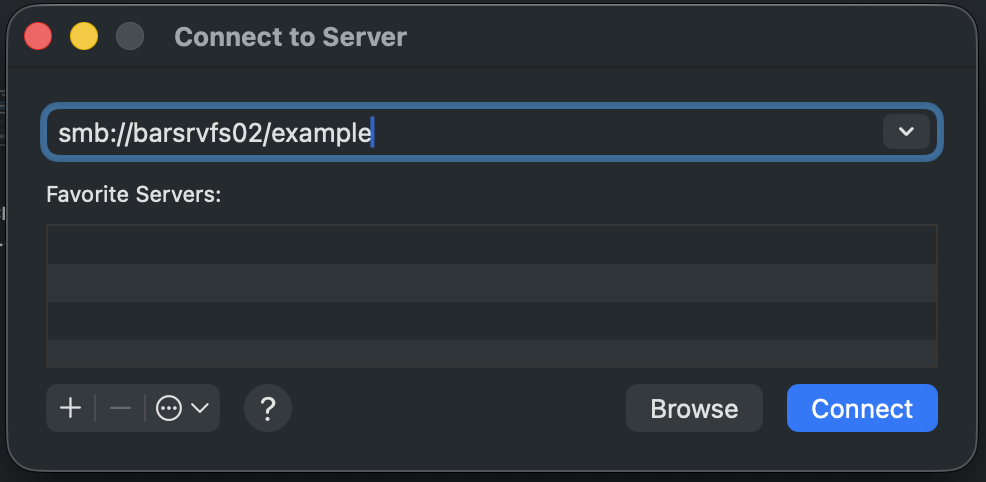
Tips:
All network paths will start with "smb:" and use forward slashes (/) rather than the backslashes used in Windows.
If given a network path containing backslashes, replace them all with forward slashes.
If given a network path that doesn't start with "smb:", add that to the front of the path, as seen above.
Was this article helpful?
That’s Great!
Thank you for your feedback
Sorry! We couldn't be helpful
Thank you for your feedback
Feedback sent
We appreciate your effort and will try to fix the article