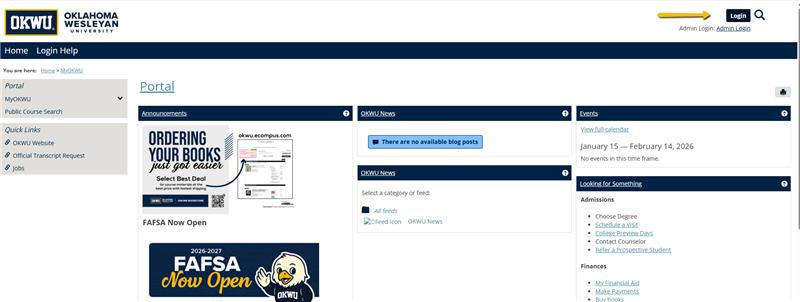
1. Sign in to MyOKWU at https://my.okwu.edu using the login button in the top right corner.
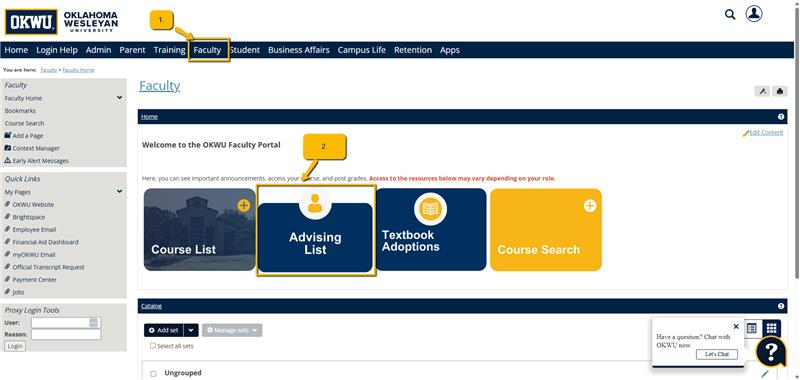
2. Navigate to Faculty, then Advising List:
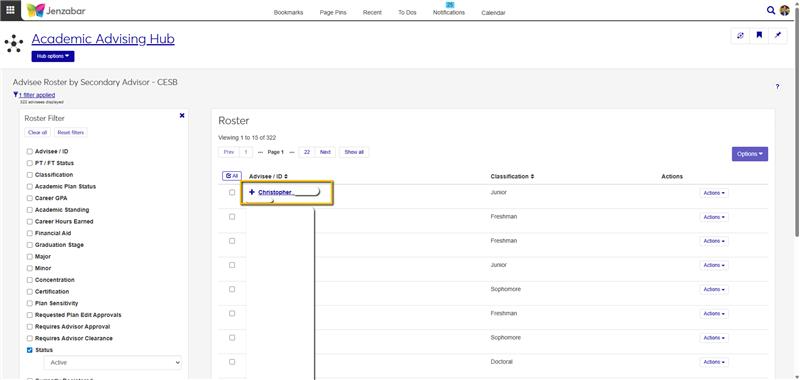
3. Find the student and click on their name:
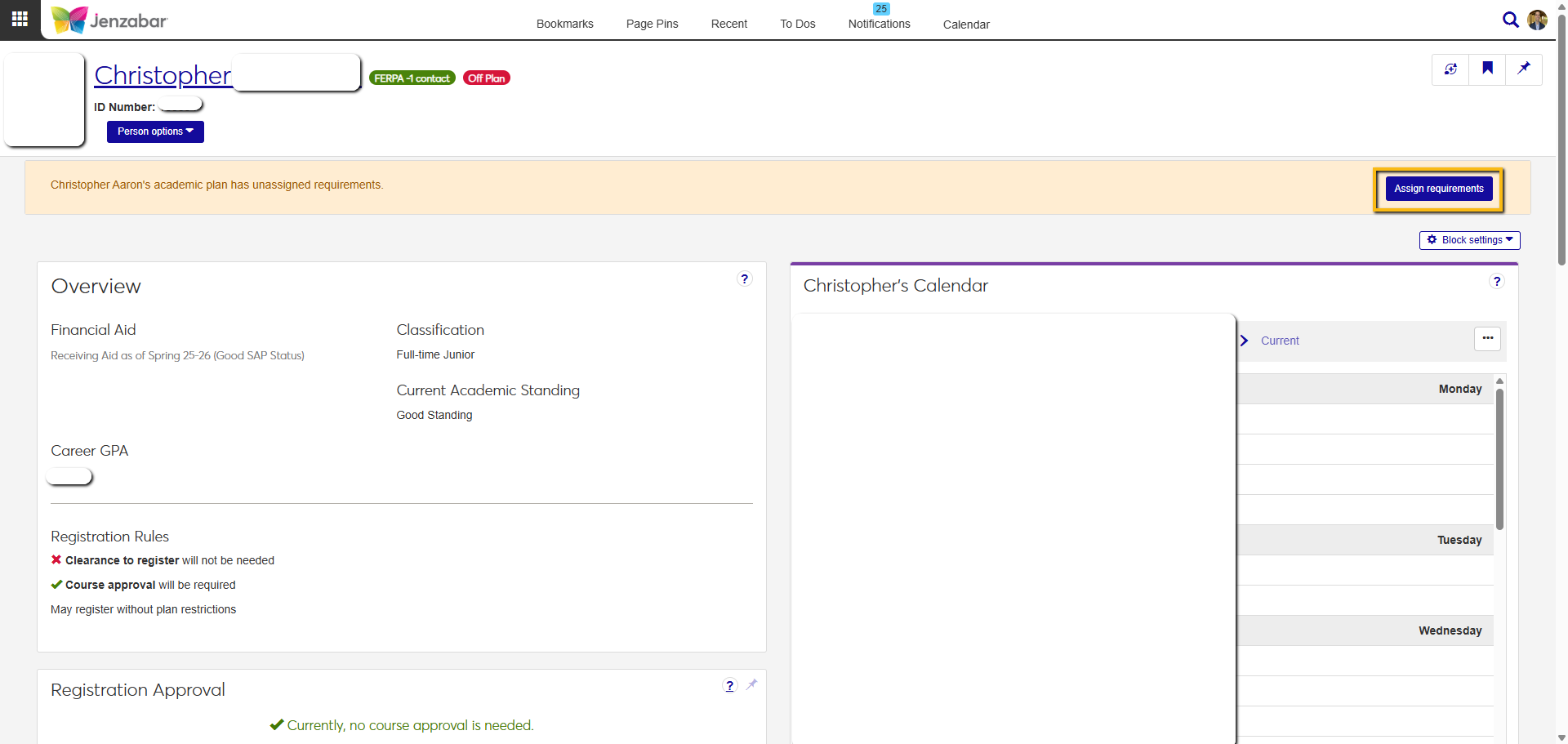
4. Once the advisee summary loads, select "Assign requirements"
5. Expand the unassigned requirements window:

6. Select the requirement and then click "Assign" in the term the course should be taken:
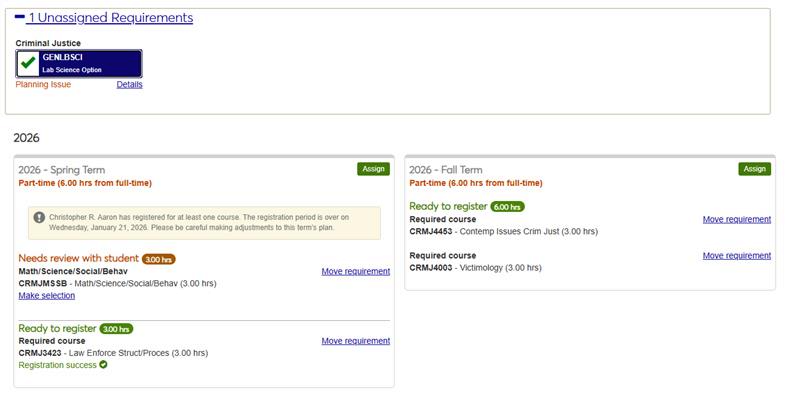
7. The plan will save automatically. You are done.
Was this article helpful?
That’s Great!
Thank you for your feedback
Sorry! We couldn't be helpful
Thank you for your feedback
Feedback sent
We appreciate your effort and will try to fix the article