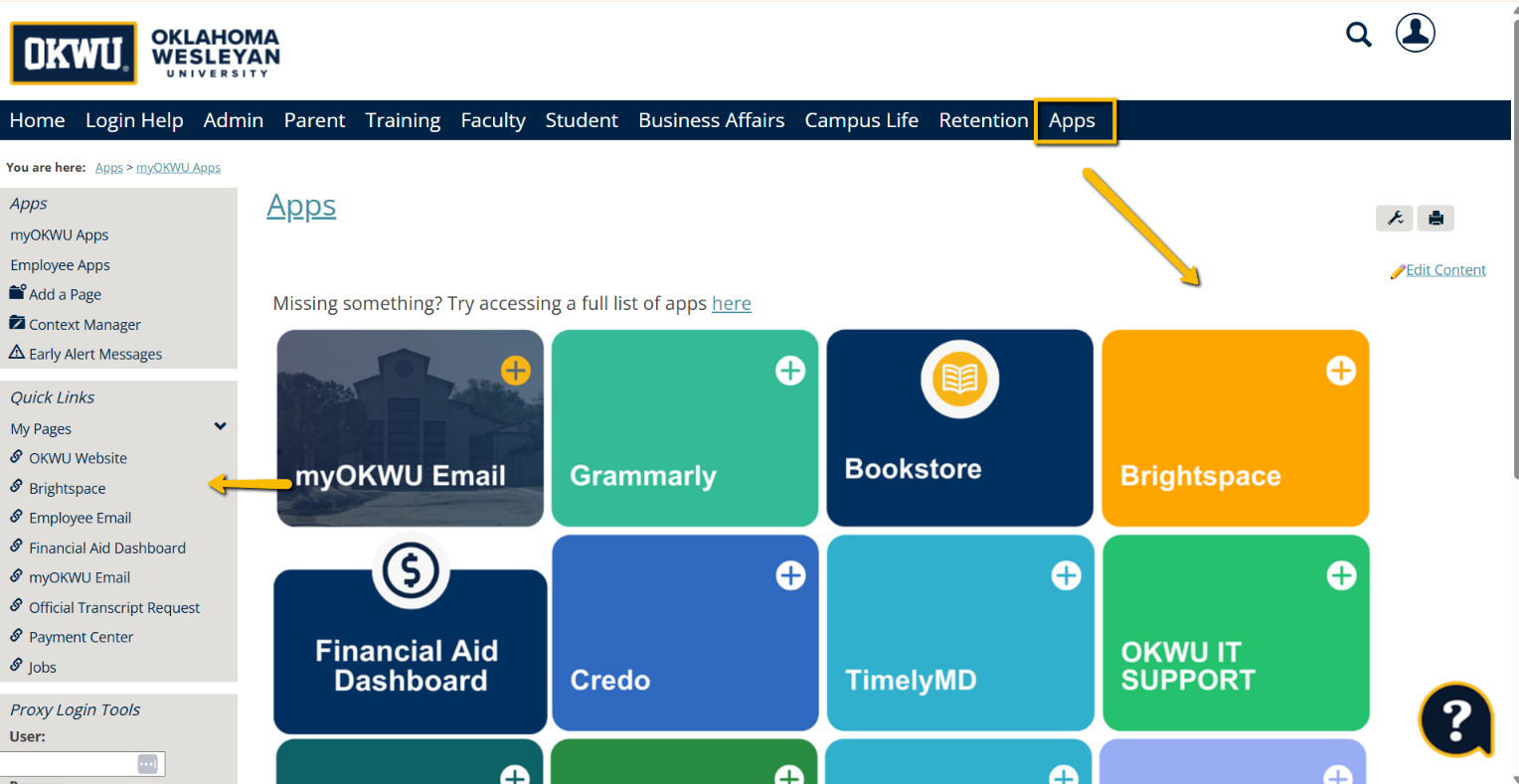
To sign into Brightspace, where all your online classes and assignments are located, you will need to log in to MyOKWU first at https://my.okwu.edu and then navigate to the Apps page. You will find the Brightspace tile on the top row, or in the Quick Links box on the left-hand side of the screen.
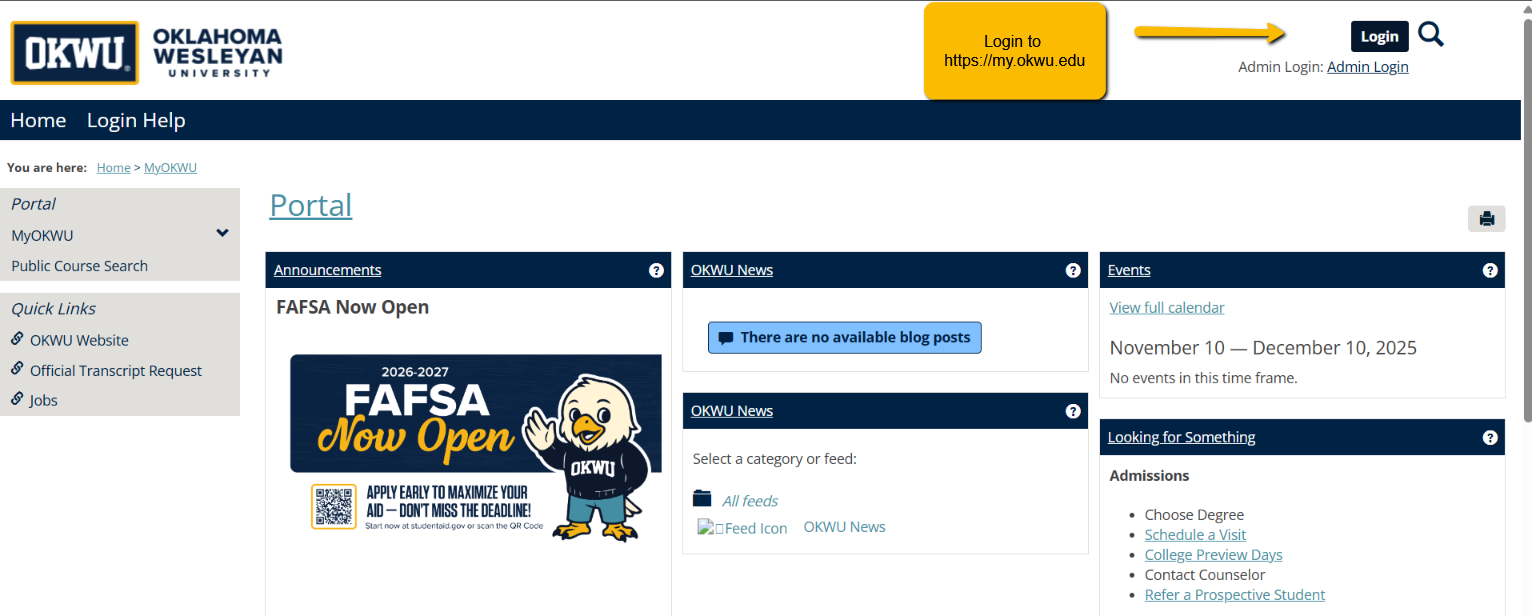
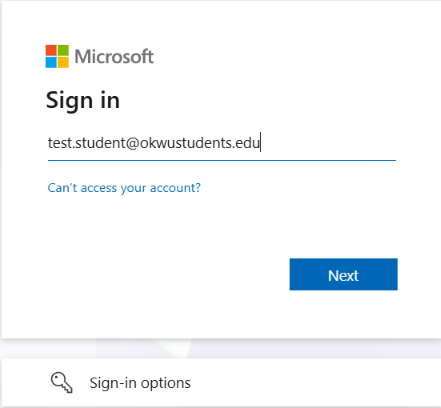
When signing into MyOKWU, you will see a Microsoft sign-in prompt like the one below. Please use your full email address when signing in here, not just your username.
After logging in, you will be taken back to the original portal page. Select the "Apps" menu option, and Brightspace will show up as one of the available tiles. It also appears in the portal sidebar, as pictured below.
If you have followed these instructions to log in to Brightspace and are still unable to access your account, please email support@Okwu.edu for assistance.
Was this article helpful?
That’s Great!
Thank you for your feedback
Sorry! We couldn't be helpful
Thank you for your feedback
Feedback sent
We appreciate your effort and will try to fix the article